
Modern teams, developers and creators need automation to eliminate repetitive tasks and save time. n8n, one of the most powerful automation platforms on the market today, is a flexible and self-hosted solution to other tools such as Zapier or Make. With backups built in, workflow exports and best practices, the n8n automation engine is a powerful tool for both beginners and professionals.
This guide will explain to you what n8n really is, why it's important to self-host, how you can deploy it using Docker, secure it and create your first workflows, even if you are a complete beginner.
What is n8n?
n8n (pronounced “n-eight-n”) is an open-source workflow automation tool that allows you to connect apps, APIs, and services together without writing complex code. It uses:
- Nodes are building blocks that can perform actions such as sending an email or calling an API.
- Triggers are events that initiate workflows (webhooks, cron schedules, forms, emails)
- Workflows are automated sequences that run in response to conditions or triggers
Automated backends can be built for almost any task, from sending reports and syncing the data to creating entire automations.
Why Self-Hosting n8n Matters
Self-hosting is a great alternative to n8n cloud.
Full Privacy & Data Ownership
All logs, workflows and credentials remain on your VPS.
Unlimited Workflows & Executions
Self-hosting offers you freedom and control. There are no monthly automation quotas, or pricing tiers.
Total Customization
Automate long workflows, extend workflows by adding custom code or integrating local apps.
Perfect for Developers & Businesses
Integrate it with your internal tools and host on your own infrastructure
How to Deploy n8n (Beginner-Friendly)
Self-hosting is the best way to ensure privacy and have unlimited workflows. Docker Compose combined with an HTTPS reverse proxy makes this easy. Once installed, you can use triggers such as Webhook, Cron and Email to automate daily reminders, collecting data from forms, sending notifications, and saving attachments.
Step 1: Install Docker & Docker Compose
Docker Compose is the easiest way to host n8n yourself on a Linux VPS. Let’s install it:
sudo apt install docker.io docker-compose -y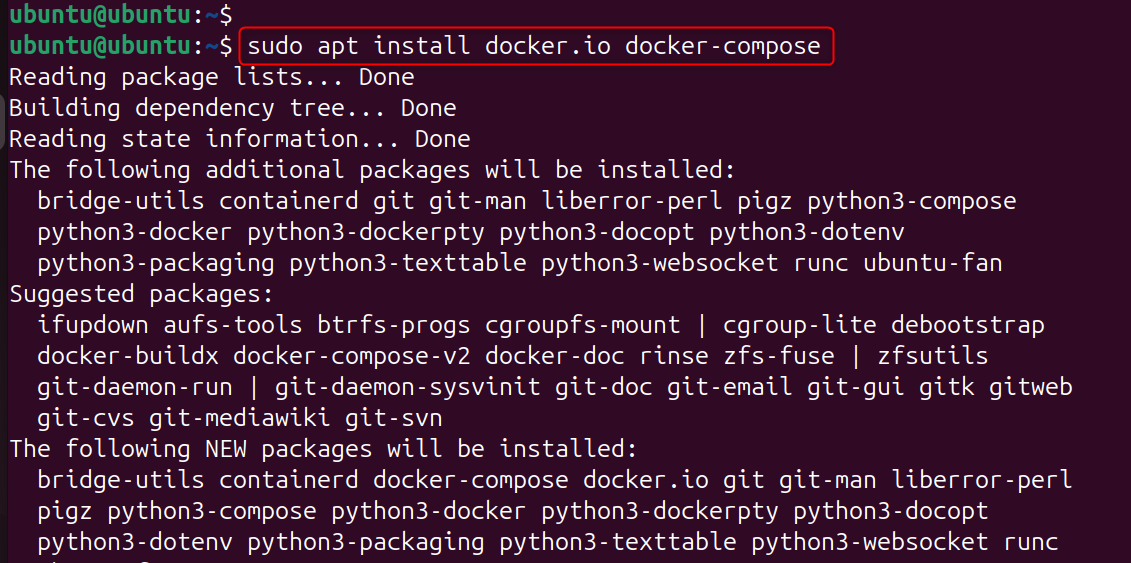
Installs the container engine required to run n8n smoothly.
Step 2: Create a Directory for n8n
Create a docker-compose and project directory.
mkdir ~/n8n
cd ~/n8n
Step 3: Create a Docker Compose File
This folder stores your configuration data and data. Let’s create file:
nano docker-compose.ymlPaste this configuration (replace your.email@example.com with your email):
services:
  n8n:
    image: n8nio/n8n
    ports:
      - "5678:5678"
    environment:
      - N8N_BASIC_AUTH_ACTIVE=true
      - N8N_BASIC_AUTH_USER=yourUser
      - N8N_BASIC_AUTH_PASSWORD=yourPassword
    volumes:
      - ./n8n_data:/home/node/.n8n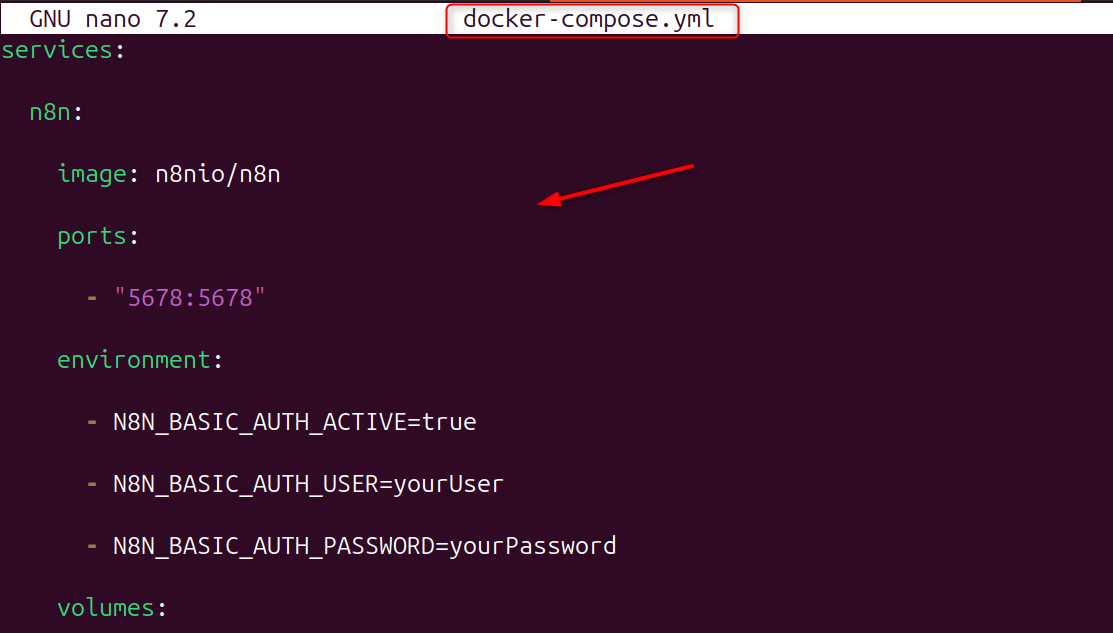
This runs n8n port 5678 with persistent storage.
Step 4: Start n8n
n8n, an open-source tool for automation, connects apps, workflows, APIs and more using triggers and nodes. This makes it simple to automate tasks, even without complex code.
docker-compose up -d
Now you can access your n8n Dashboard. Let’s visit:
http://your-server-ip:5678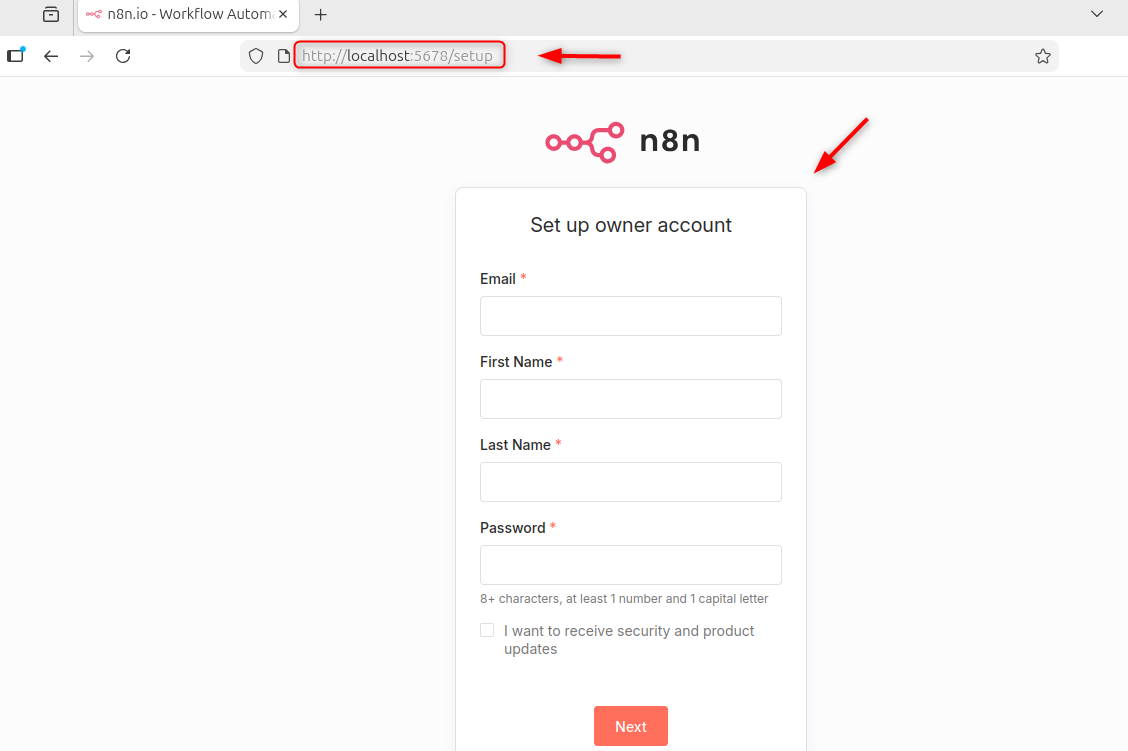
Your n8n dashboard is now live.
Add a Reverse Proxy + HTTPS (Recommended)
Use Let's Encrypt + NGINX to secure your n8n instances. Let’s install NGINX:
sudo apt install nginx -y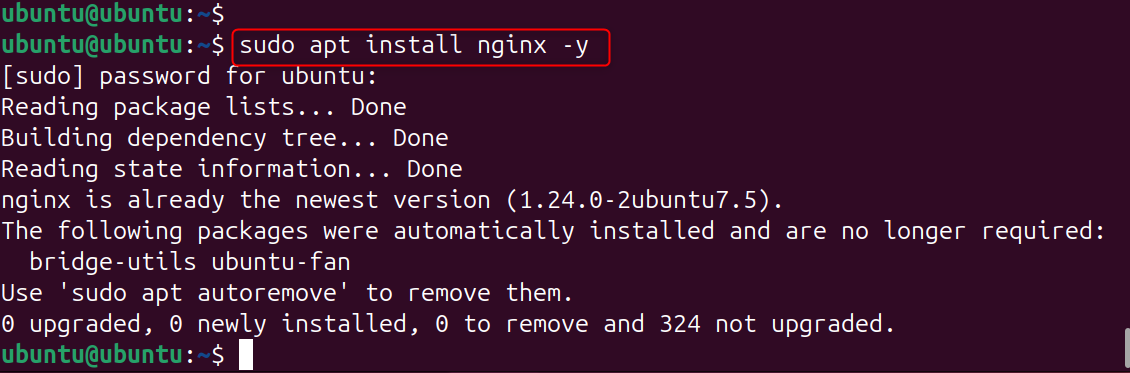
Set up a secure reverse proxy using Certbot:
sudo apt install certbot python3-certbot-nginx -y
sudo certbot --nginx -d yourdomain.com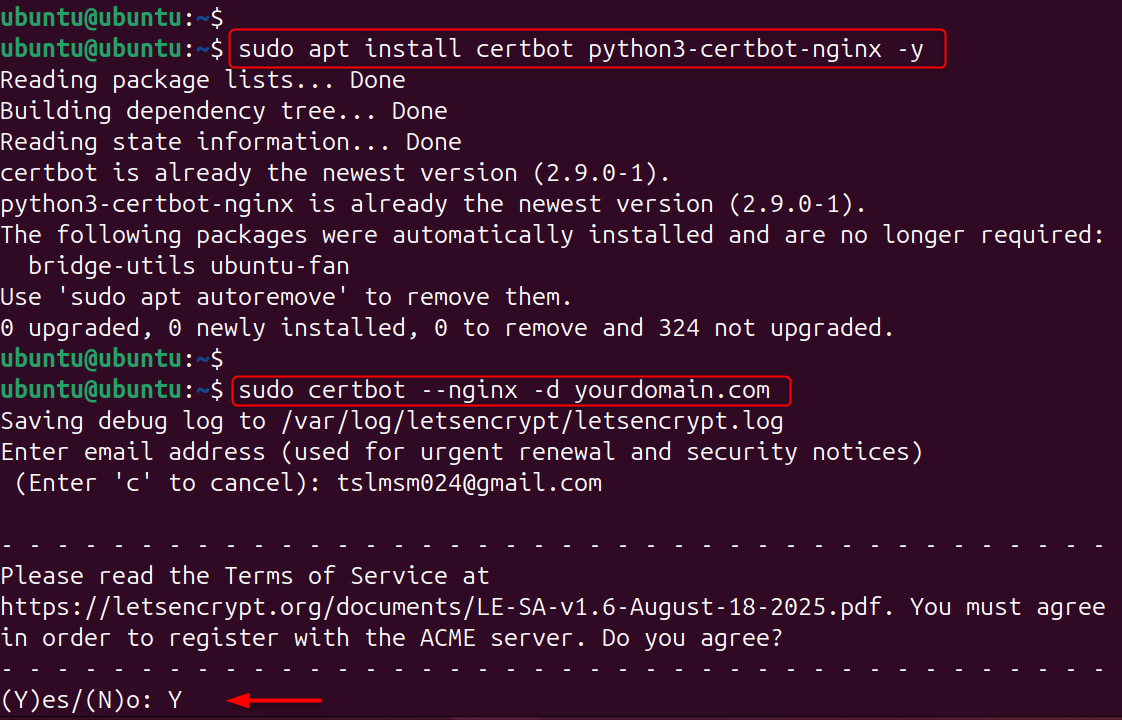
You can now access your n8n instance safely by https://yourdomain.com.
Using n8n’s Built-In Triggers
Triggers start a workflow. Here are some of the best ones for beginners:
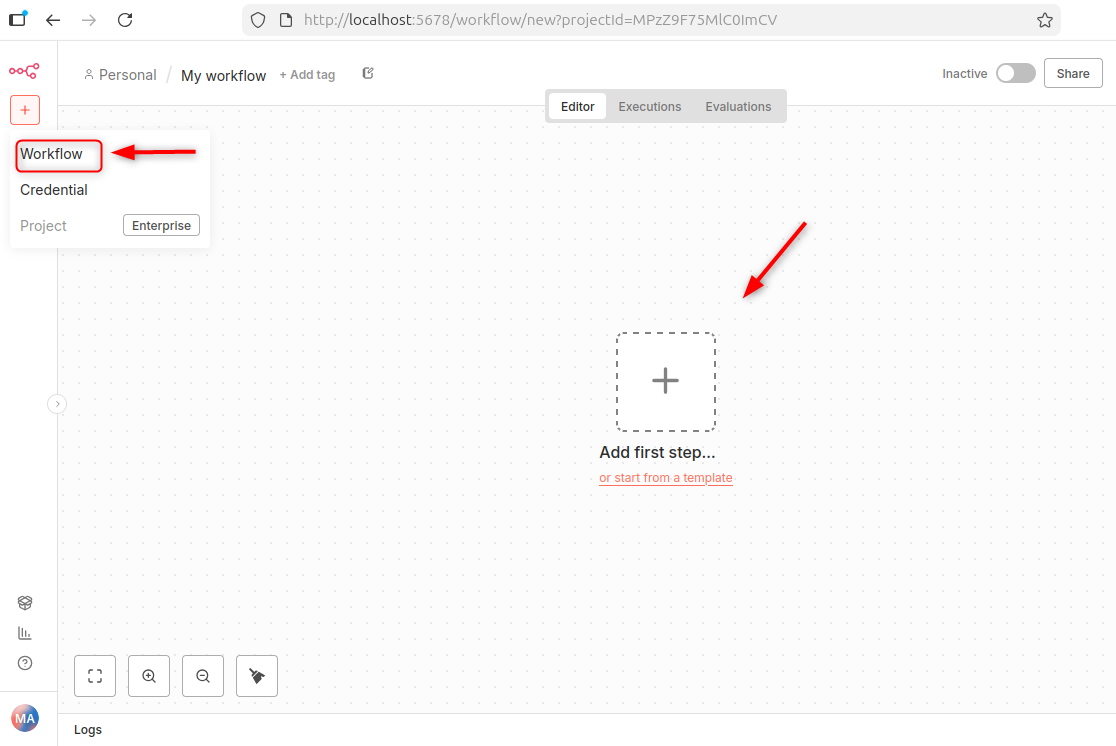
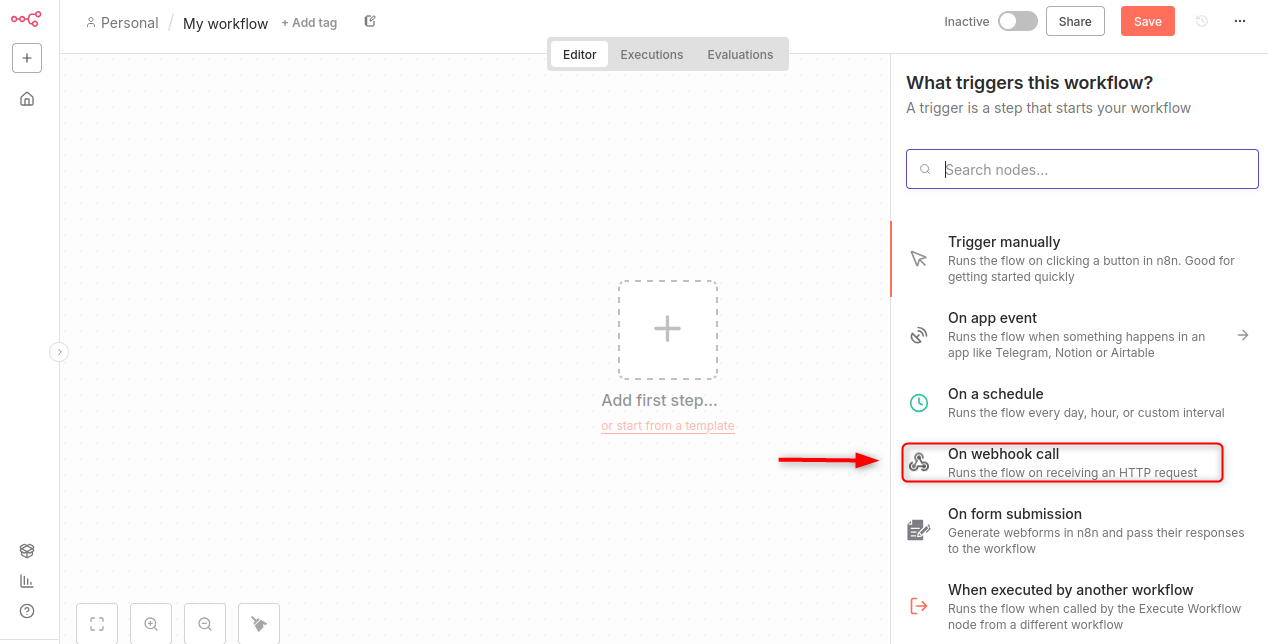
1. Webhook Trigger
This workflow starts when an external service makes an HTTP request. It is perfect for apps, forms, and custom scripts.
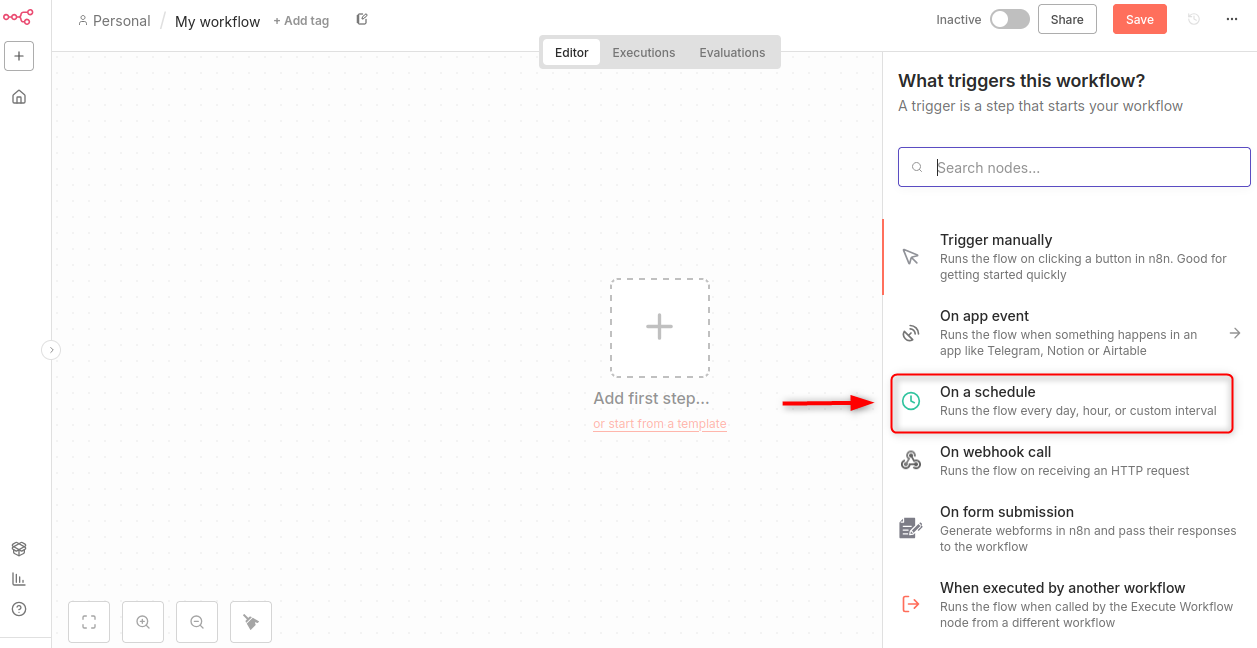
2. Cron Trigger
Scheduled to run daily, hourly or weekly.
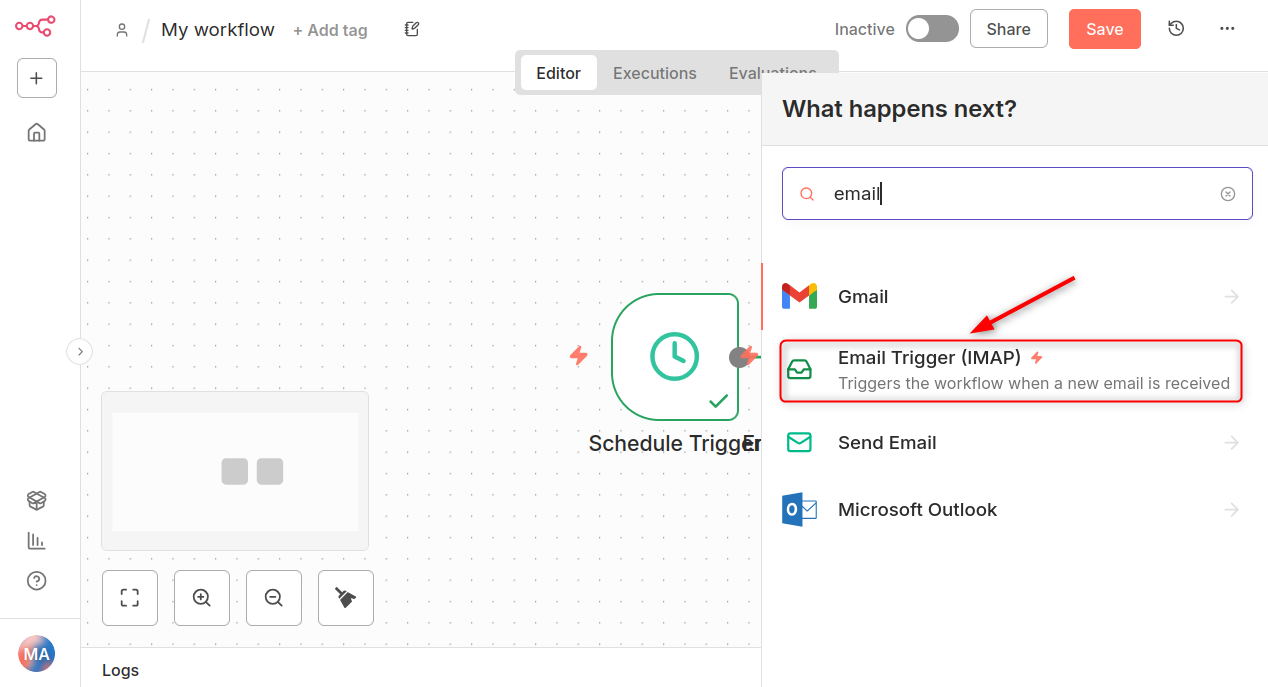
3. Email Trigger
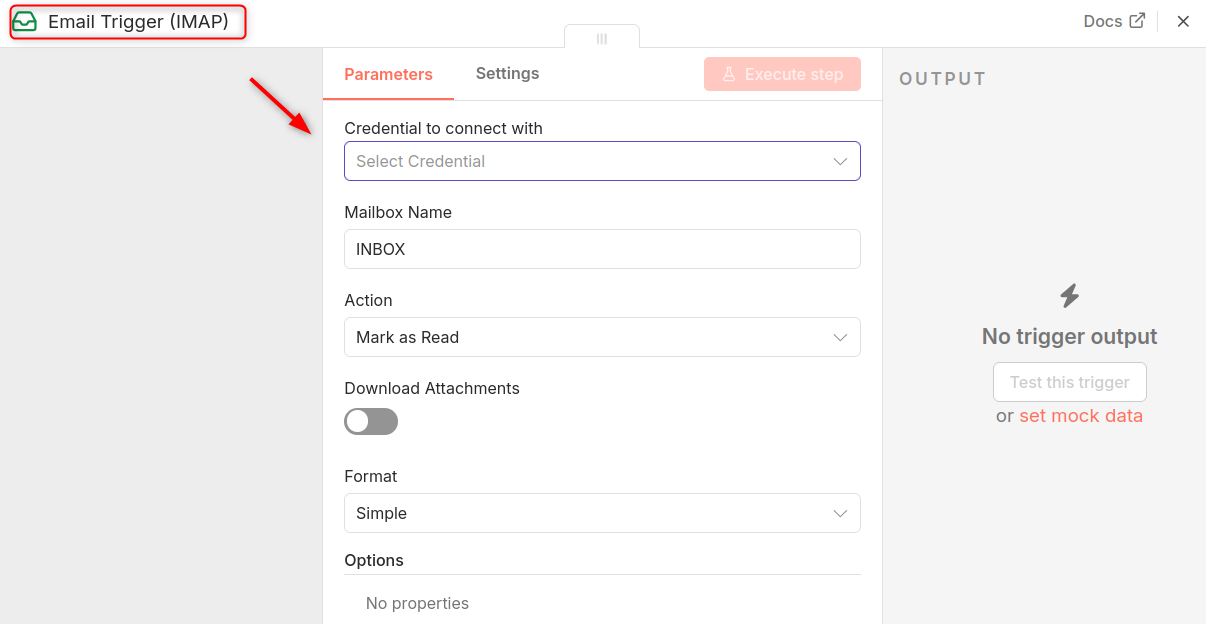
Monitors an email inbox and triggers a workflow when a new message arrives.
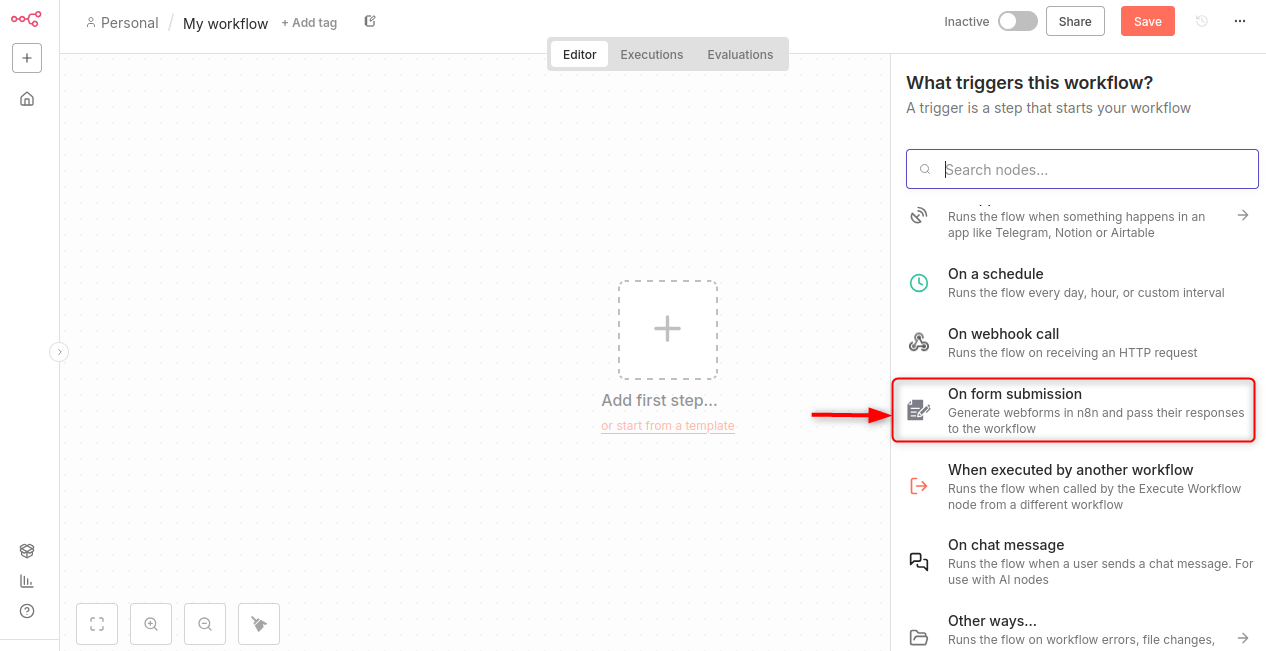
4. Form Trigger (n8n Forms)
Great for capturing survey responses, feedback, and customer data.
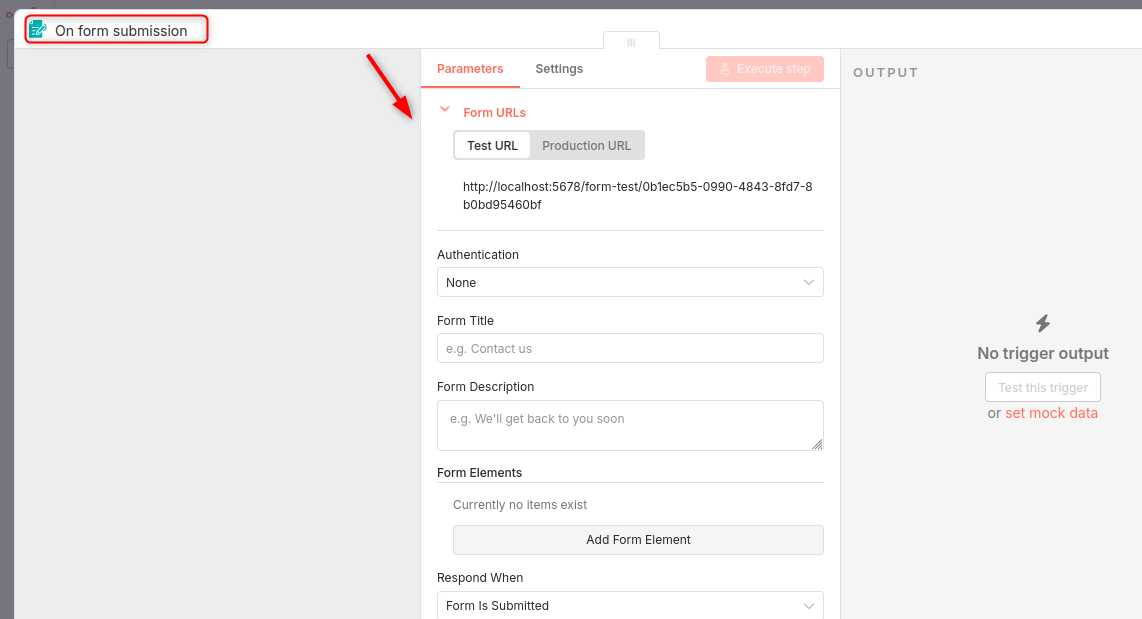
After that, fill the required fields:
Your First n8n Automations
You'll be able to automate your first n8n in no time. You can start automating your workflow right away with these simple automations. Here are simple automations you can build right away:
1. Daily Email Summary (Cron → Email)
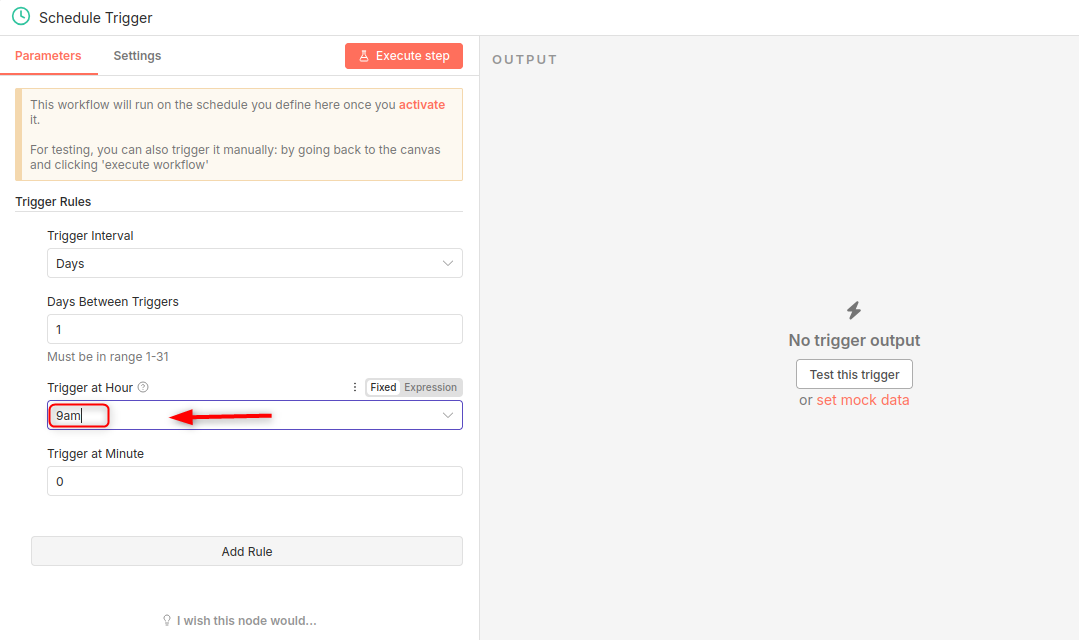
Add Cron Node and set it up to run each day at 9AM.
Add Email Node and connect to SMTP. Send your summary message.
This is perfect for reminders, habits, performance summaries, or server alerts.
2. Data Collection into Google Sheets or Notion
n8n has built-in integrations for:
- Google Sheets
- Notion
- Airtable
- PostgreSQL
- MySQL
Example:
Webhook use Google Sheets to transform data:
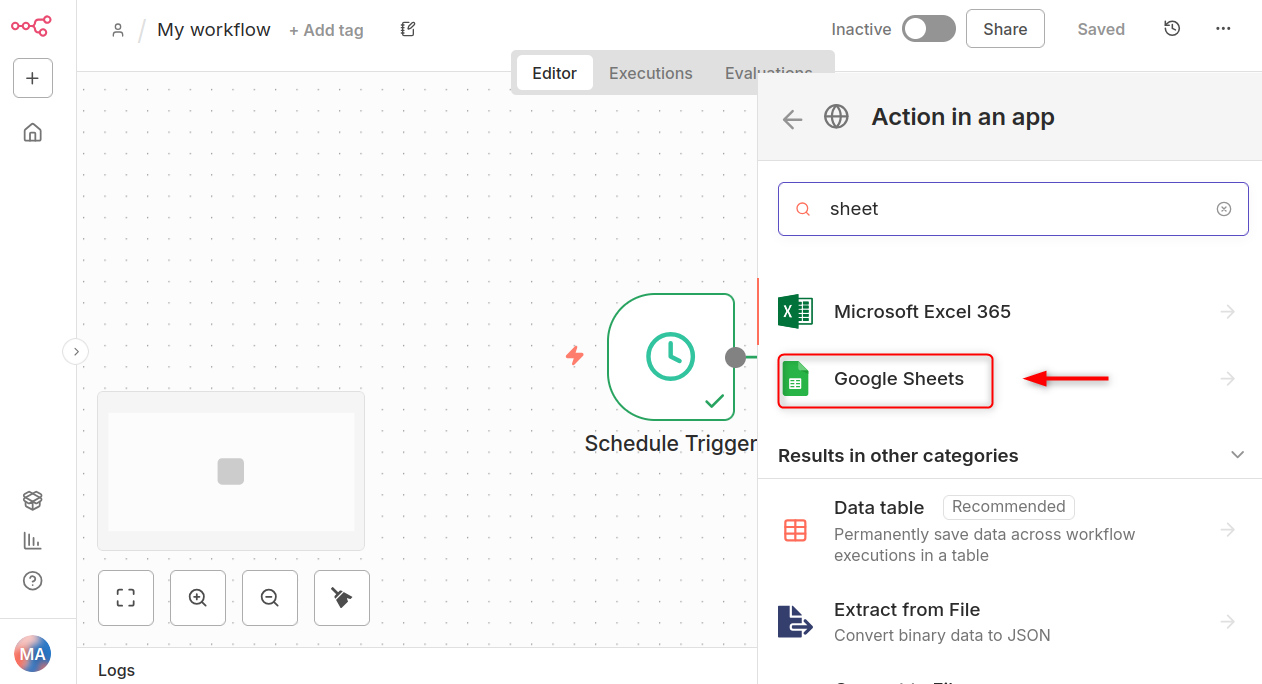
This will turn n8n to your own mini-automation database.
Backups & Workflow Export
Backup your data before making any major updates. n8n makes backups easy:
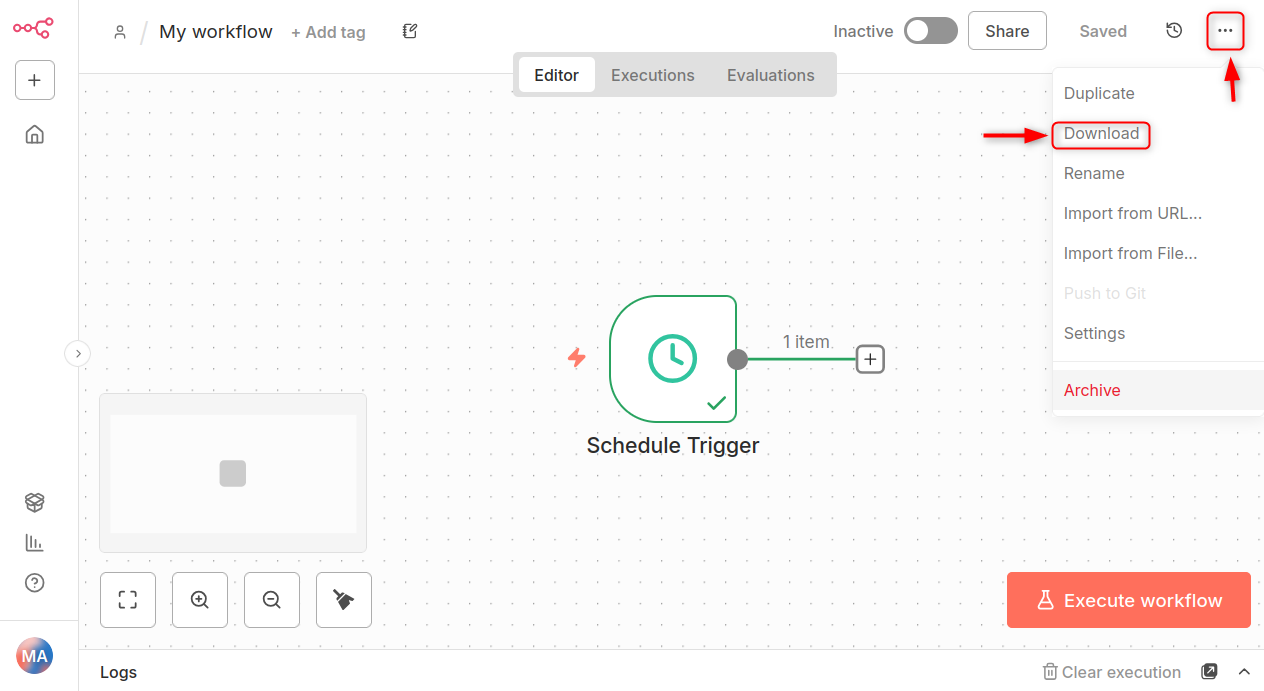
Export a workflow
Click Workflow → Download, then save the JSON file.
Best Practices for Organizing n8n Workflows
Even beginners can automate tasks like sending daily reports, syncing data with Google Sheets or processing form submissions.
Name your nodes with clarity
- Sticky Notes can be used to group related steps.
- Versioning is a good idea for major workflow changes
- Store secrets as variables
- Separate folders for Dev and Production
You can scale automations with these habits.
Conclusion
Self-hosting on your Linux VPS will give you a powerful and flexible automation platform. It can handle anything from simple reminders, to complex workflows, across dozens apps. Docker and an HTTPS reverse proxy make it easy to deploy n8n. Once you're up and running, you can begin building automations with intuitive triggers such as Webhook, Cron and Email. Remember to backup your workflows and export versions. Also, keep your nodes organized to make your automations scaleable. You can now streamline your workflow and increase productivity with n8n on your VPS.
With this foundation, self-hosting n8n no longer feels complex—it simply requires a reliable VPS. AlphaVPS offers high-performance and affordable VPS solutions that make deploying and managing n8n smooth, secure, and scalable.
