Securing SSH is important for protecting your Linux VPS against brute-force attacks and bots that scan open ports. Port Knocking is one of the most effective yet underrated ways to improve server security. This technique hides your SSH port until a certain sequence of network "knocks' is sent. It prevents hackers from seeing your SSH Port, which makes your VPS virtually invisible to attackers.
This guide will show you how to configure and install Port Knocking for your Linux VPS. Each step is explained in detail.
What Is Port Knocking and Why Should You Use It?
Port Knocking, also known as port-hitting, is a security method whereby all ports are closed until a user sends the correct sequence of port hits. Imagine it as a secret knock on a closed door. Only after you have performed the pattern correctly will the system temporarily open the SSH Port.
Why Port Knocking is powerful for Linux VPS security:
- Hide SSH ports completely from attackers
- Protects against brute force attacks
- It works even without changing the SSH port
- Fail2Ban is a great alternative, or you can combine the two for maximum protection
- Ideal for VPS hosting, Cloud servers, and Production Environments
- It is lightweight and does not affect performance
How to Use Port Knocking to Secure SSH Access on Linux VPS
Port Knocking is a method for securing SSH on Linux VPSs. You install the knockd service and enable it, then configure the secret sequence of ports that must be "knocked" in the correct order, before your firewall temporarily opens port 22 for SSH. SSH is blocked by default. This makes it inaccessible to hackers and brute force bots. You can then log in via SSH after sending the knock sequence using the knock command. If you want to close the port, you send the reverse sequence. This method completely hides the SSH port, improves server security, and prevents unauthorized attempts to log in.
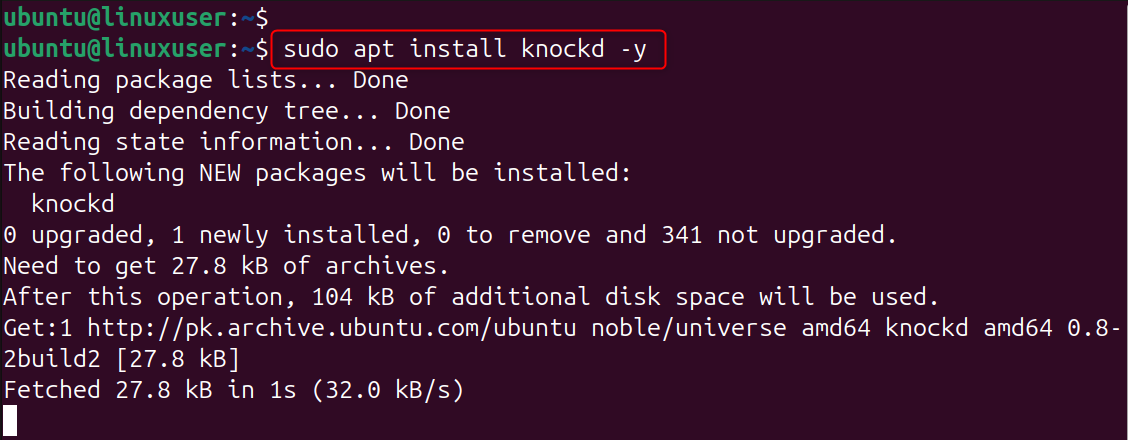
Step 1: Install knockd on your Linux VPS
Update your server before installing any security tools. Update your VPS to ensure compatibility with all the latest packages. Installing knockd will provide the daemon to listen for port knock sequences.
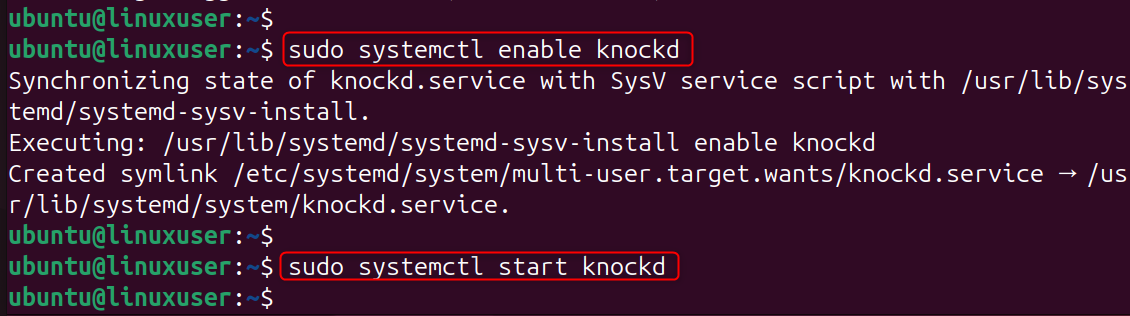
Step 2: Enable the knockd Service
Knockd can be disabled by default. By enabling the service, it will run at startup. It will also monitor knock sequences constantly to ensure SSH is protected at all times.
Step 3: Configure Port Knocking Rules
Edit the knockd configuration to define the secret sequence you want to use and the command that opens the SSH port.
This file controls all aspects of the Port Knocking Process, including the ports that the user "knocks", the order, and the length of time the SSH Port remains open.
Paste the following configuration:
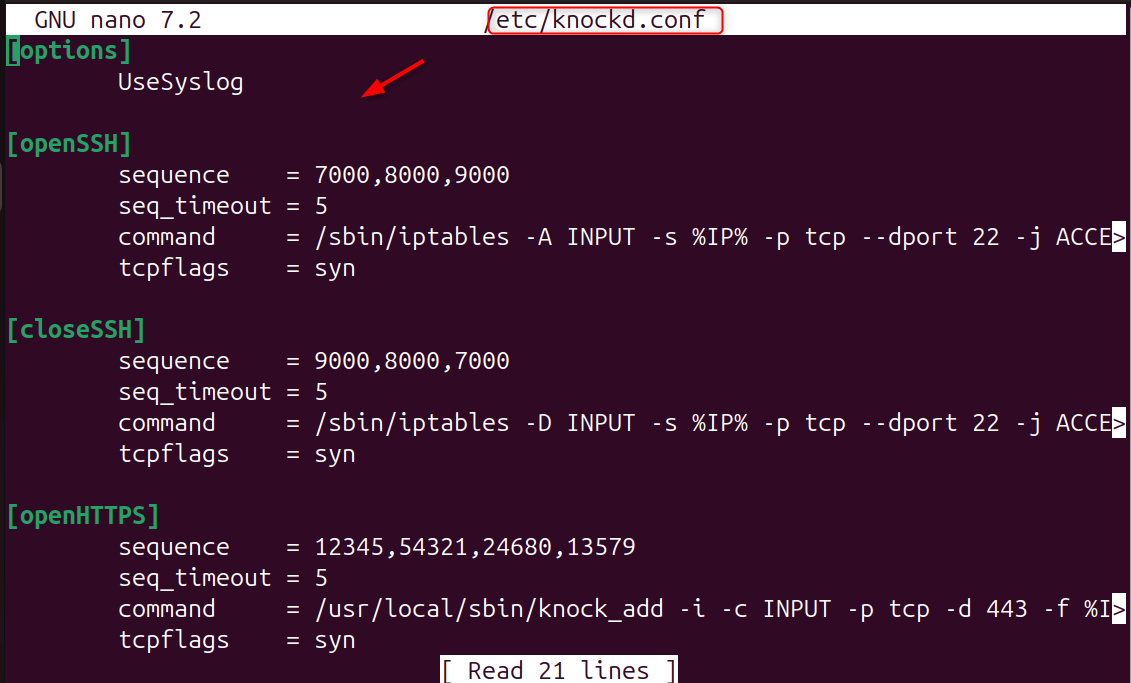
Explanation of settings:
- sequence: Ports you must “knock” in order
- seq_timeout: Maximum time allowed to complete the sequence
- command: The command executed when the sequence is correct
- openSSH: Opens port 22
- closeSSH: Closes port 22
Step 4: Restrict SSH Port Access by Default
If you do not use the correct knocking sequence, your firewall should block the SSH port 22. Close the SSH port to prevent hackers from discovering it. Firewalls will only allow SSH traffic after a knocking sequence.

Step 5: Restart knockd to Apply Configurations
The firewall rules and knock sequences are activated immediately after restarting.

Step 6: Use Port Knocking from Your Local Machine
Use the Knock client to open the SSH Port. By sending the correct knock sequence, your VPS will open the SSH ports for access. If you send the wrong sequence, your VPS will not open the SSH port.

Now connect:
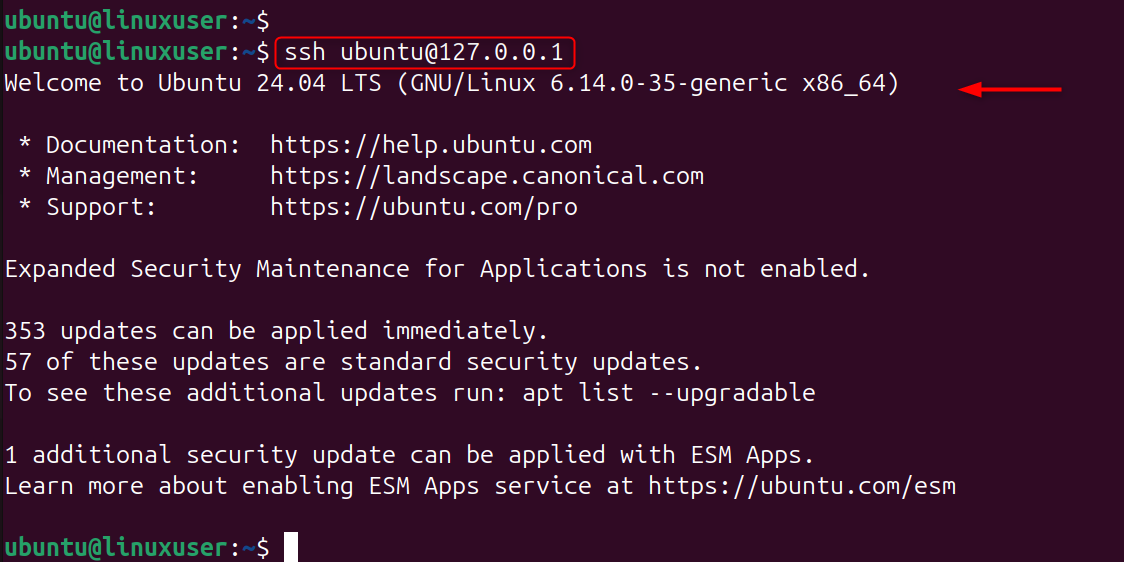
To close the port again:

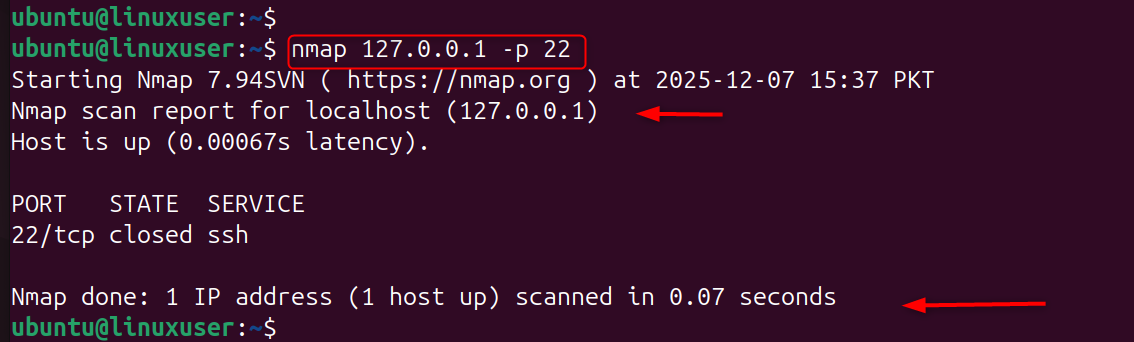
Step 7: Test SSH Port Visibility
The port will only be visible if you knock on it. Test before knocking:
Security Best Practices for Port Knocking
- Use long, randomized sequences (e.g., 7453, 9211, 5532)
- Double protection with Fail2Ban
- Use SSH keys to disable password login
- Keep knock ports separate from services that are visible to the public
- Do not share knock sequences publicly
Conclusion
Port knocking is an effective Linux VPS security method for hiding the SSH port and protecting remote access. You can protect your server against automated scanning, bot attacks, and unauthorized attempts to access it by using a secret knocking sequence. Port Knocking, when combined with SSH key and firewalls, provides a robust security layer that makes your Linux VPS much harder to compromise.
Experience premium hosting at a price you’ll love. Upgrade your workflow and get started with our Cheap VPS today—your project deserves it!
