
Hackers use port scanning as one of their most popular reconnaissance techniques to find vulnerable services and open ports on Linux VPSs. Attackers probe your system for potential entry points, regardless of whether your server runs SSH, Nginx, or MySQL. One of the best tools to protect your Linux VPS against these threats is psad (Port Scan Attack detector). psad monitors the iptables logs and detects malicious behaviour instantly. It will alert you when an intrusion or port scan occurs.
This guide will show you how to install, configure, and use psad, which is ideal for enhancing the security of your Linux VPS.
Why psad Is Essential for Linux VPS Security
Psad has powerful features that enhance server security:
- Real-time port scan detection
- Security alerts via email
- Integration with iptables
- Automatic attacker blocking
- Support for SYN, FIN, stealth, and other scans
- Easy to use and lightweight.
This makes psad an essential tool for VPS owners who want to detect hacking attempts early.
How to Detect Port Scans on Linux VPS with psad
The best way to detect Port Scans on Linux VPS is to use psad, a powerful intrusion detection tool that analyzes iptables logs in order to identify suspicious traffic. Installing psad via your package manager allows you to enable iptables logs so that psad is able to read the incoming packets.
You can then configure psad's settings for automatic blocking and email notifications. psad will recognize the latest scanning techniques if its signatures are updated. Restarting the service will activate real-time monitoring. With psad-S, you can confirm everything and simulate a scan using Nmap. Reviewing psad loggings, managing blocked IPs, and combining firewall hardening with psad will give your Linux VPS a powerful defense against port scanning, network reconnaissance, and intrusion attempts.
Step 1: Install psad on your Linux VPS
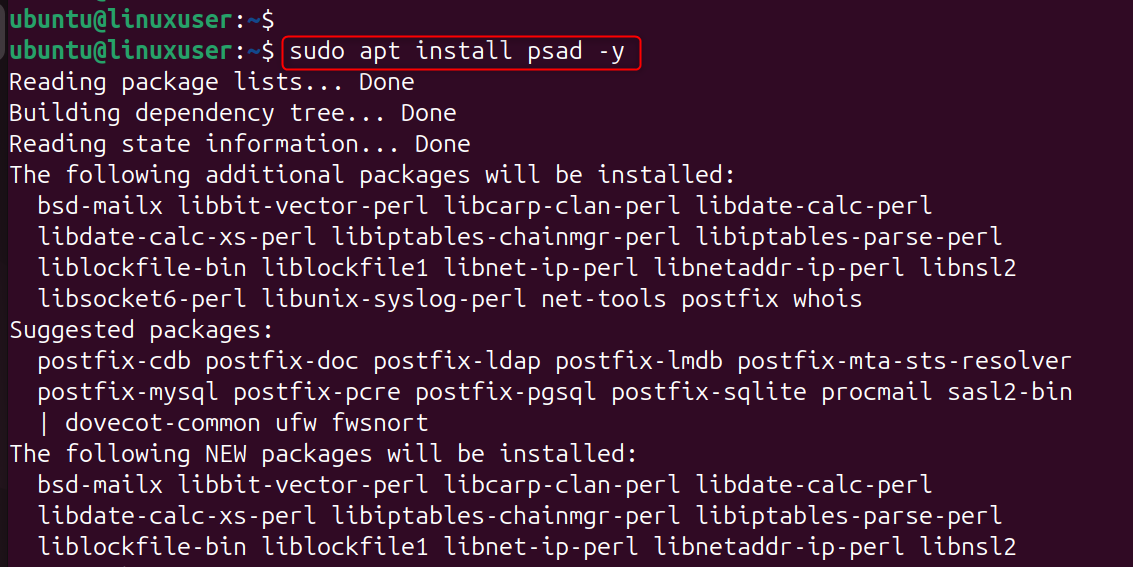
Installing psad on Linux is easy because it's available in many repositories. Installs the psad and its supporting components. psad uses iptables logs to detect suspicious traffic patterns.
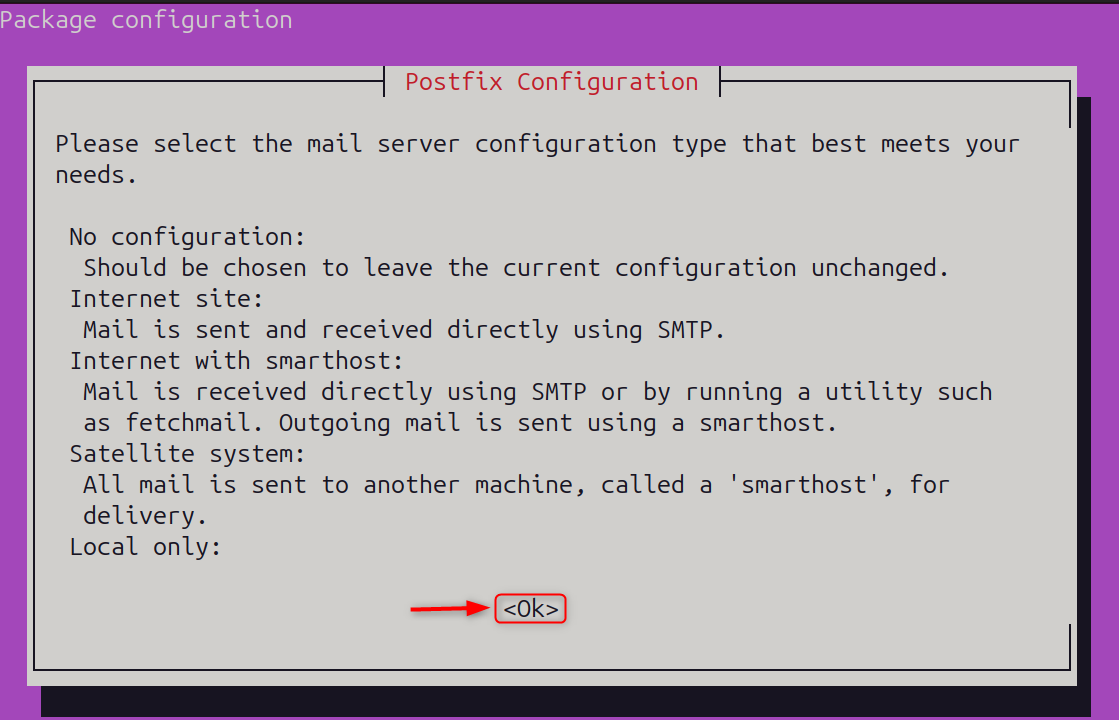
Detecting port scanning on a Linux virtual private server is crucial for protecting it from hacking attempts. Let’s select the mail server configuration type:
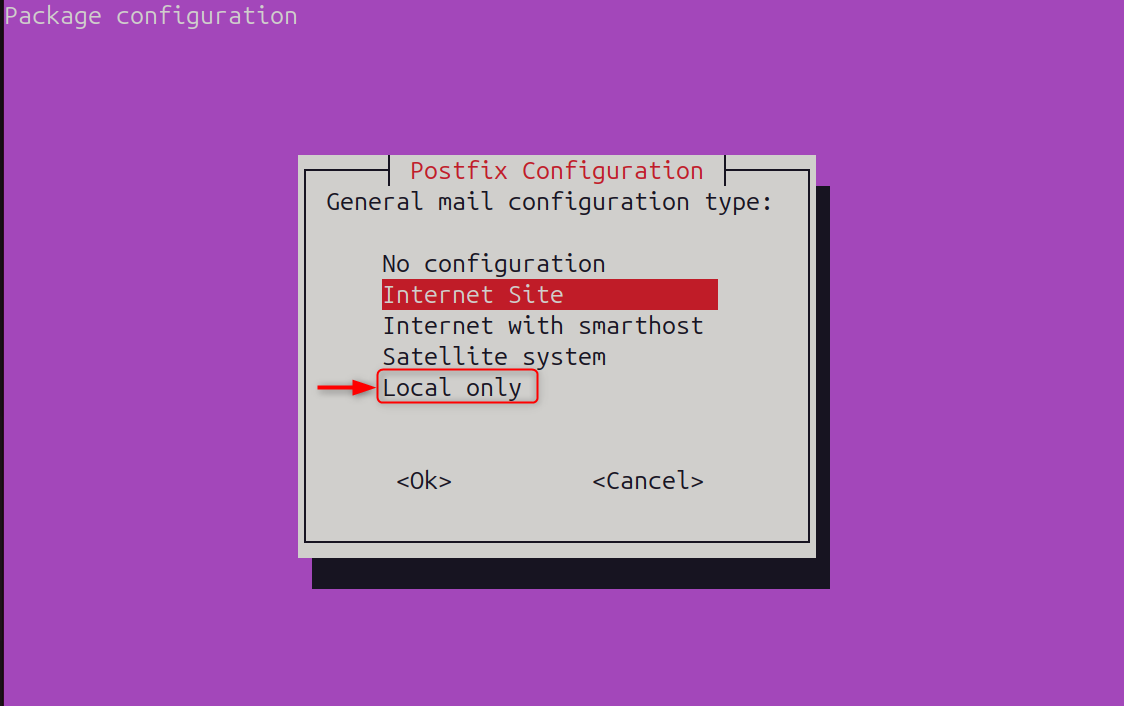
Now, choose Local only as a mail server configuration type:
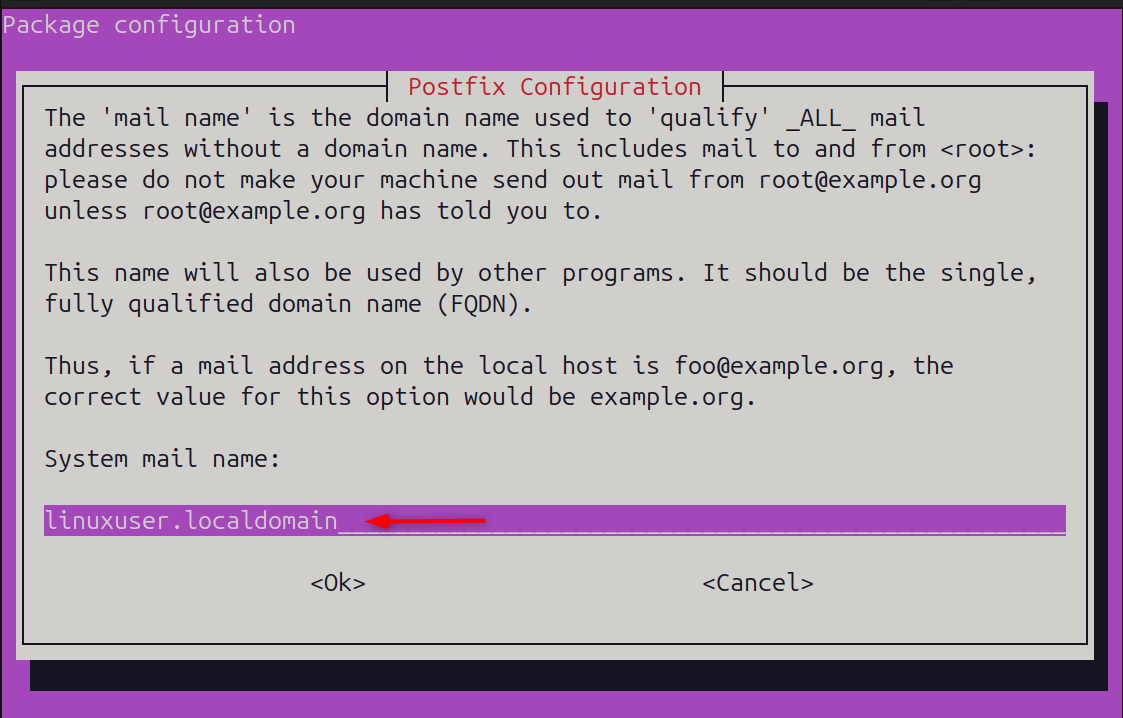
Finally, mention the system mail name:
Step 2: Enable iptables Logging for Port Scan Detection
You must enable firewall logs for psad to detect malicious activities. These rules log packets into iptables. These logs are read by psad to identify scanning patterns, suspicious packets, and intrusion attempts.

Step 3: Configure psad Settings
Edit the psad file configuration to enable email alerts and advanced scan detection. The configuration file specifies how psad will respond, whether it should block IPs or send alerts.
Recommended adjustments:
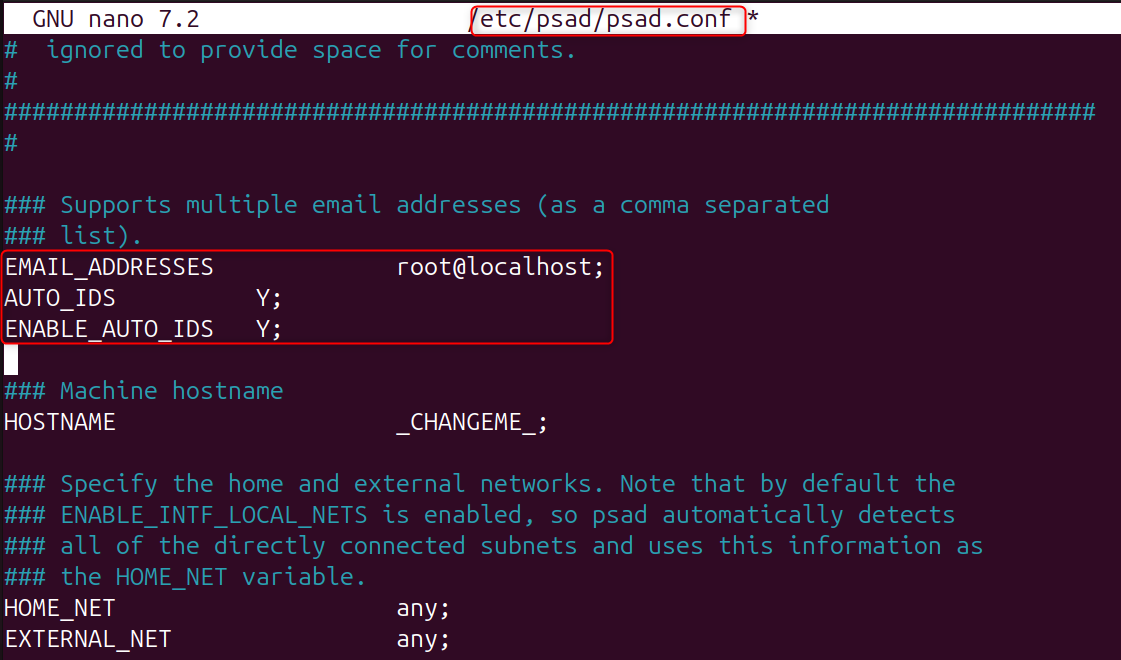
What these options do:
- EMAIL_ADDRESSES: Sends real-time alerts via email
- AUTO_IDS: Enables automatic intrusion detection
- ENABLE_AUTO_IDS: Allows psad to block IPs that are dangerous.
Save and exit.
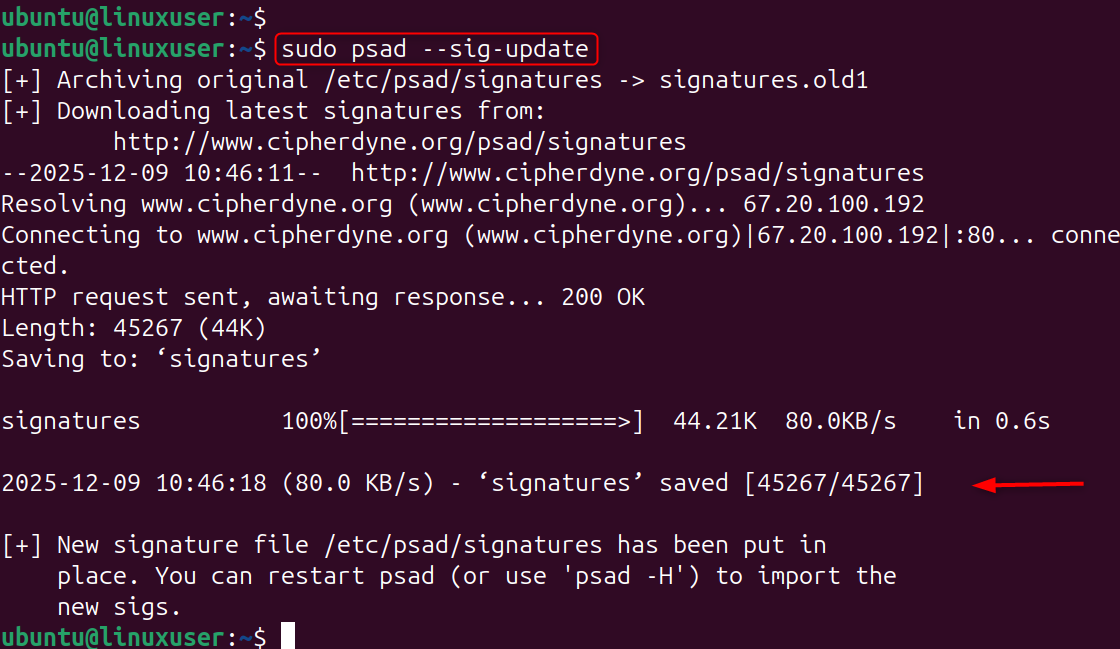
Step 4: Update the psad Signature Database
Psad classifies attack types using a signature database. Updates ensure that psad is able to recognize the latest port scanning techniques and exploit attempts.
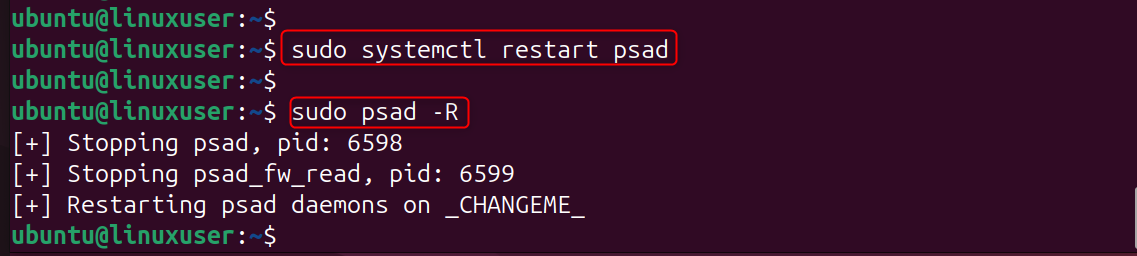
Step 5: Reload iptables and Restart psad
The restarting of psad activates the monitoring engine and applies all changes made to the configuration.
Step 6: Verify psad is Running Correctly
This command shows the monitoring status and loaded signatures. It also displays whether iptables is being parsed.
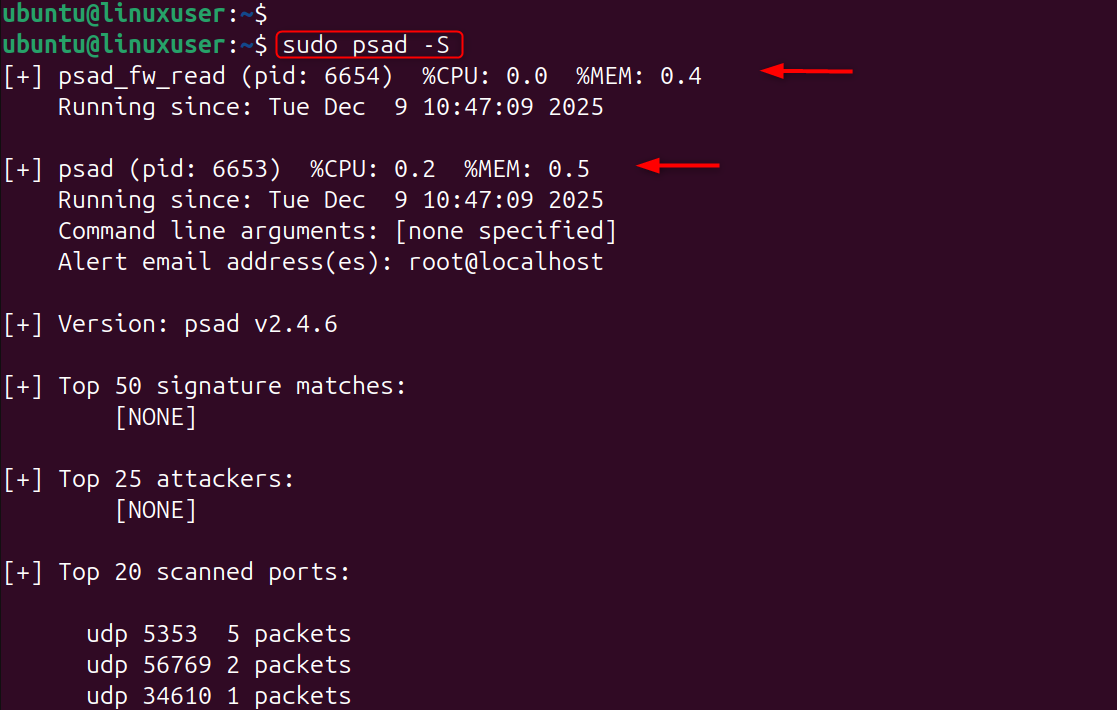
You should see:
- psad running
- iptables logs are being monitored
- No current threats (or threats logged).
Step 7: Simulate a Port Scan (Optional but Recommended)
Test psad with the nmap tool on another computer. By simulating a port scanner, psad can detect real-world threats. Command (run from another device):
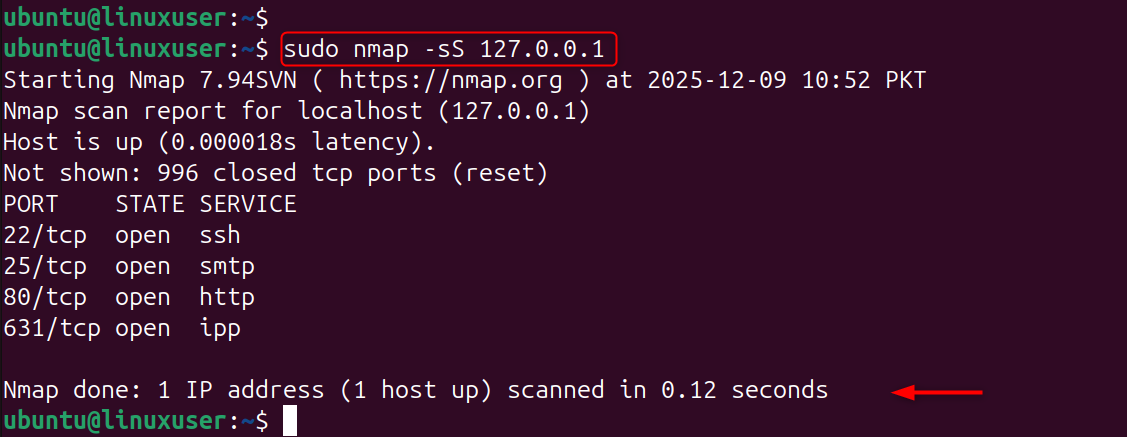
psad should detect it and log:
- Scan type
- Attacker IP
- Number of ports scanned
- Severity score
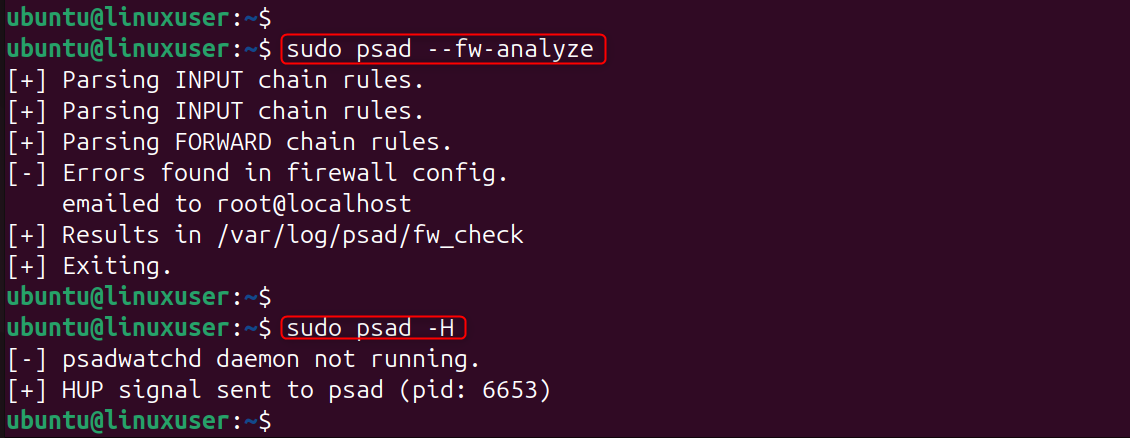
Step 8: View psad Attack Logs
These commands display attack history, scan reports, and blocked IPs.
Step 9: Unblock an IP (If Needed)
You can remove a blocked IP manually if the psad is blocking a valid IP. psad keeps a list of blocked IPs; removing a particular IP will restore normal access.
Best Practices for psad on Linux VPS
- Combining Fail2Ban with psad for SSH protection
- Reduce scanning surface by disabling unused ports
- Use UFW or Iptables firewall
- SSH Key-Only Login Enabled
- Check logs for anomalies at least once a month
Conclusion
For maintaining a Linux VPS that is secure, it's important to detect port scans. psad offers a powerful automated solution for monitoring suspicious network activity and stopping it. Psad integrates with iptables, uses real-time analysis, and alerts users to scanning attempts. It blocks attackers and provides detailed reports on potential threats. Psad can be used to enhance your server's safety and stay ahead of malicious actors, whether you host websites, private services, or applications.
If you’re looking for a fast, reliable, and budget-friendly hosting option for your projects, our Cheap VPS solution is the perfect choice.
