It is essential to secure your Ubuntu 24.04 Virtual Private Server (VPS) to prevent brute force attacks, port scans, botnet traffic, and other malicious activities. Iptables rate-limiting is one of the easiest and most effective security methods. It limits the number of connections or packets that an IP can send in a given timeframe. This simple method enhances Linux VPS Security by preventing repeated SSH Login attempts, blocking automated Bots, and reducing DDoS-like Spikes.
This guide will show you how to configure Ubuntu 24.04 iptables with a clear explanation of each command. Your VPS will remain fast, stable, and secure.
Why Use iptables Rate Limiting on Ubuntu 24.04?
Linux servers are frequently exposed to:
- SSH brute-force attacks
- Excessive connection attempts
- DDoS spikes
- Botnet login floods
These problems can be solved by using iptables' rate-limiting feature.
- Only allowing a certain number of connections each minute
- Automatically blocking abusive IP addresses
- Reduce server load
- Hardening SSH and other critical services
This is a lightweight and native firewall that provides high-quality security for any VPS.
How to Configure iptables Rate Limiting on Ubuntu 24.04 VPS
You can configure iptables to limit the number of connections an IP is allowed to make in a certain time period on an Ubuntu VPS. This will protect your server against brute force attacks and abusive traffic. Limit SSH connections to three per minute with the "recent" module and "limit" module of iptables, and then set general rate limits on TCP, ICMP, and suspicious port scanning behavior. Save the rules permanently using iptables-persistent to ensure they are retained even after reboots. Iptables will automatically drop excessive or suspicious traffic once configured. This provides strong and lightweight security to your Ubuntu VPS.
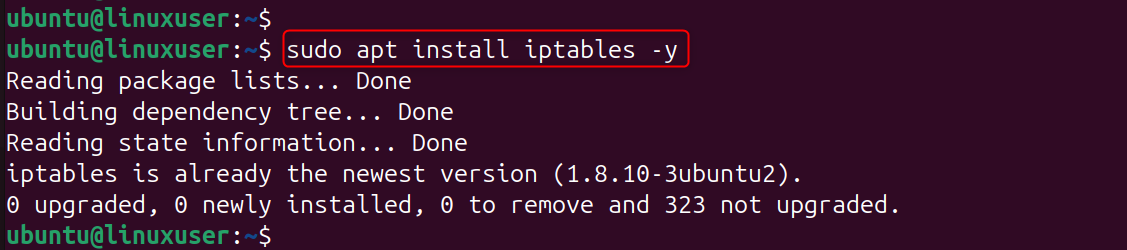
Step 1: Install iptables (Already Included in Ubuntu)
Ubuntu 24.04 comes with iptables already installed. To apply the rate-limit rule, you only need to make sure that iptables has been installed and is active.
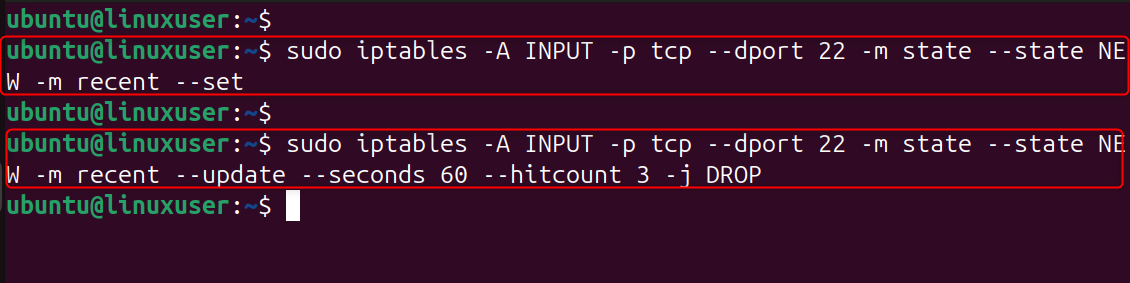
Step 2: Rate Limit SSH Connections
This rule limits SSH connections to three per minute per IP. This stops brute-force tools that attempt dozens of password guesses per second. If an IP exceeds the limit, iptables drops its packets, instantly stopping attacks.
Step 3: Add a General Connection Rate Limiting Rule
This blocks IPs making too many connections to your VPS too quickly (useful for DDoS protection). Protecting web servers, APIs, and other services that are accessible to the public by limiting connections to 25 per minute.

Step 4: Limit ICMP (Ping) Rate
This stops ping floods, a type of DDoS attack based on ICMP. Attackers use ping flooding to consume bandwidth. By limiting ping requests, you can ensure that your VPS is responsive and prevent abuse.

Step 5: Protect Against Port Scanning
This rule blocks IPs that make suspicious connection attempts.Rate limiting is a way to block port scanners before they can detect services running on your VPS.

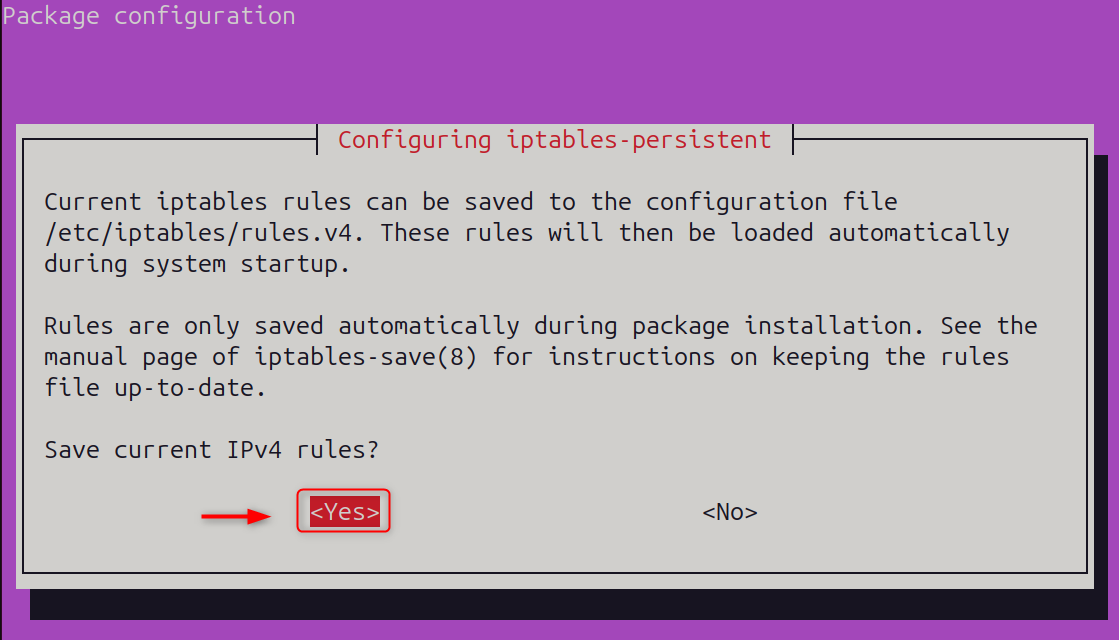
Step 6: Save Your iptables Rules Permanently
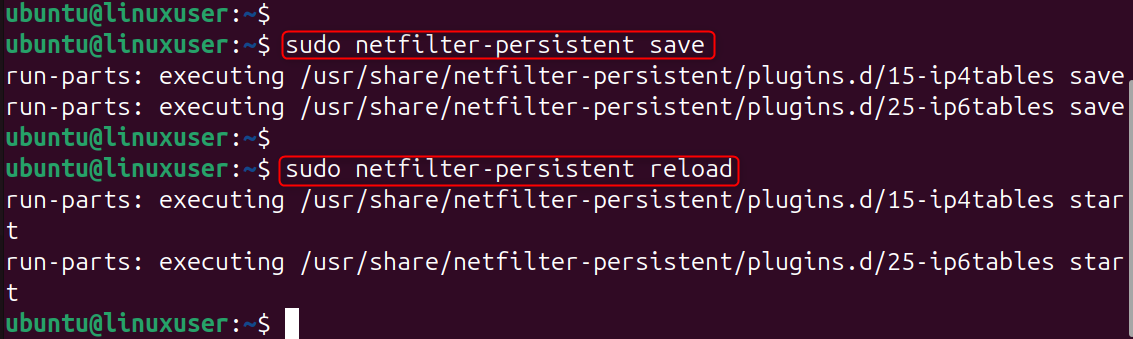
If you have not saved the iptables rule, it will be reset when you reboot. Your rate-limiting protection will remain active even after a server restart.
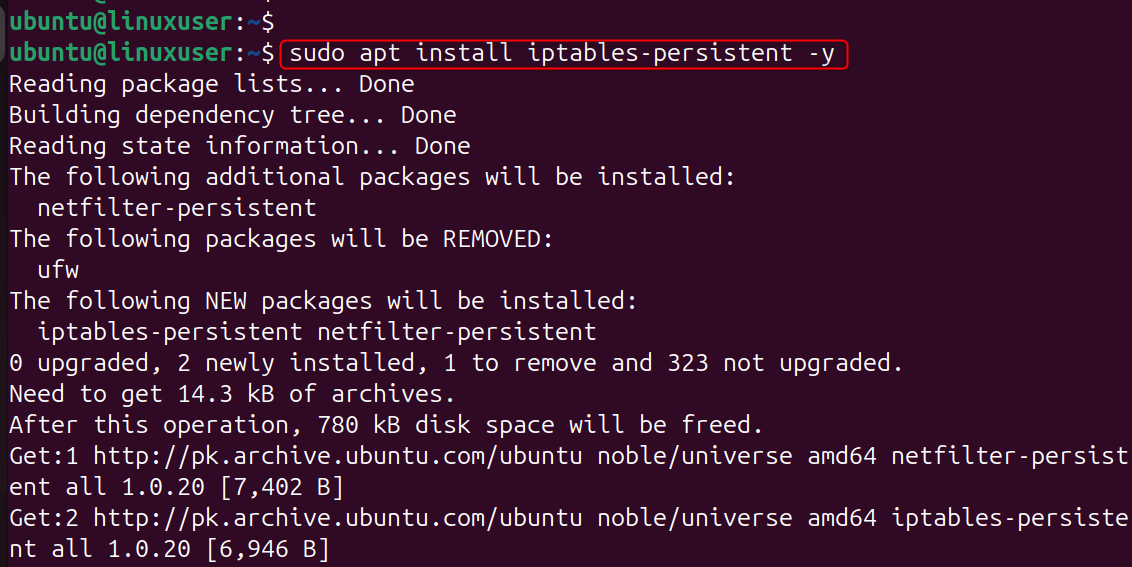
After that, save the current IP states:
Save and Reload the states:
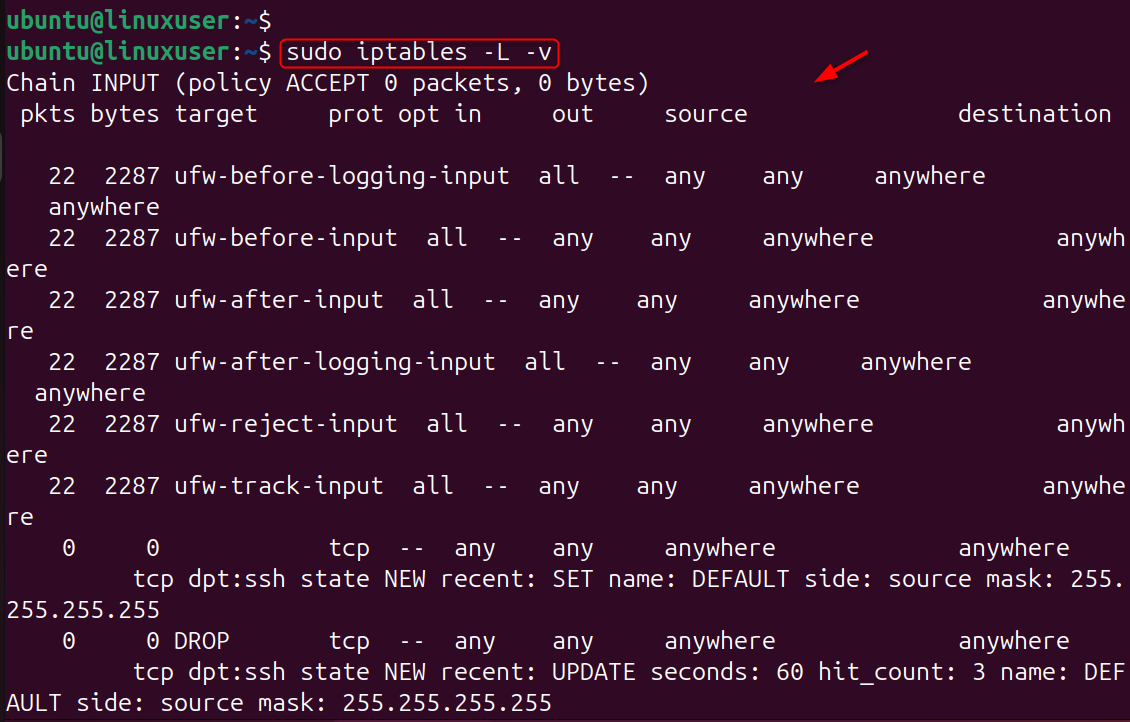
Step 7: Verify Your Current Rate-Limiting Rules
By checking your rules, you can ensure that all rate-limit filters are working as expected and have been correctly applied.
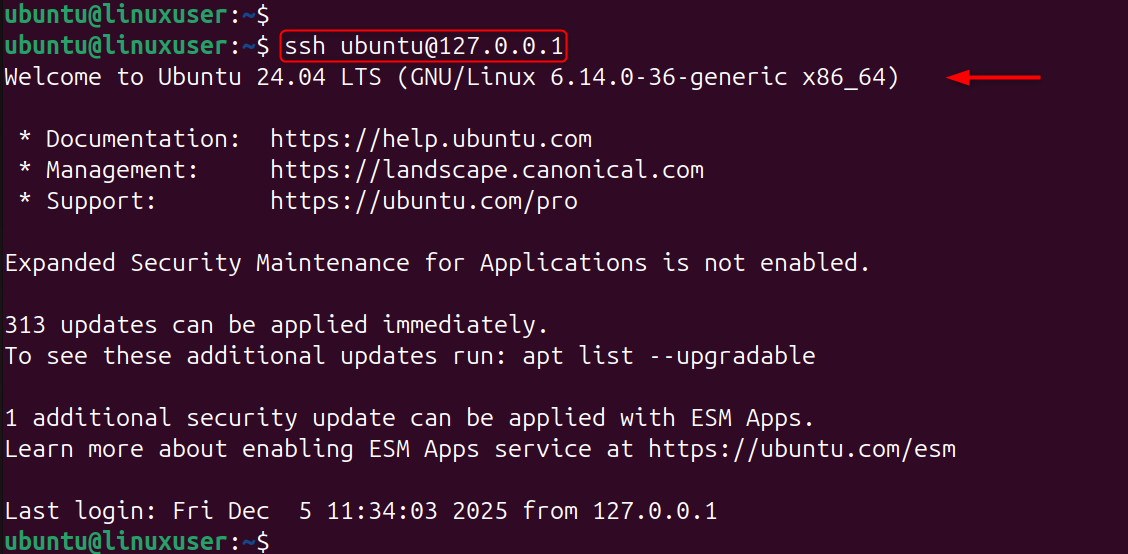
Step 8: Test Rate Limiting
Test SSH login attempts, or run a Connection Flood from another machine. If you exceed the limit, the VPS should drop your connections, confirming that iptables rate limiting is active and protecting your server.
Best Practices for iptables Rate Limiting on Ubuntu VPS
- Use SSH key authentication for stronger security
- Reduce noise by changing SSH ports
- Fail2Ban and rate-limiting can be combined
- Set limits that are not too high to avoid blocking legitimate users
- Save your changes after you make them.
Conclusion
Configuring iptables for rate-limiting on Ubuntu VPS 24.04 is the easiest yet most powerful way to protect your server against brute force attacks, port scanning, and abusive traffic. You can improve server performance and security by using a few firewall settings. Iptables rate-limiting is a crucial security measure that will keep your Linux VPS stable and safe, whether you are running a cloud server, web server, or development environment.
Ready to power your projects with speed and reliability—without breaking the bank? Our Cheap VPS solution delivers the performance, stability, and flexibility every developer needs.
